Although every creative has a face, not all of them go on to become brands. A single selfie can become a stylised, trademark icon that represents your channel on all screens, comments, and sidebars. Welcome to the age of AI avatars. Your YouTube profile photo is more than simply a picture; it’s your digital handshake, whether you’re playing games in a neon-lit cave or describing financial methods while wearing a turtleneck.
pippit.capcut.com is turning profile creation on its head. No longer do you require an illustrator or design degree to produce something scroll-stopping. With a few clicks and some prompts, you can transform your face into a branded icon—illustrated, animated, or cartooned to fit your channel’s tone yet still uniquely yours.
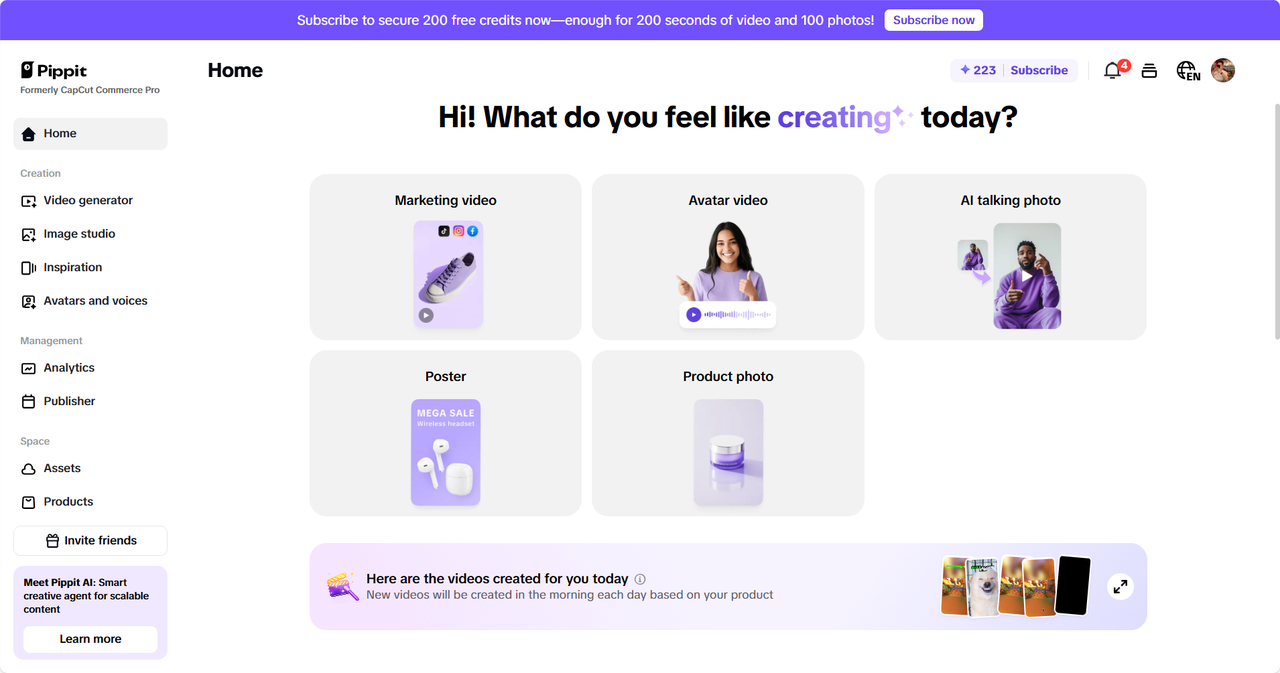
Let’s explore how creators are leveraging this pixel-fueled transformation to stake their claim in the dense YouTube jungle.
The selfie reimagined: why avatars are the new headshots
YouTube profile pics are small, but their power is great. In a round space the size of a cookie, you need to cram in personality, consistency, and brand recognition. The old selfies get the job done, but avatars do more.
Why creators are using AI-generated avatars
- Consistency across content types: From your profile icon to your thumbnails to merch, an AI avatar gives you a signature look you can stamp anywhere.
- Stylized expression: Want to appear like an anime warrior? A cyberpunk analyst? A pastel-colored makeup fairy? Avatars allow you to express your feelings in your videos without revealing your real identity.
- Visual legibility in cramped quarters: Avatars rid background noise and boost color contrast, making them more distinguishable in the narrow circular frame of YouTube’s UI.
What once took weeks with a designer can now occur in less than 15 minutes, with surprisingly professional-looking results.
Avatars of all genres: one face, many voices
Let’s take a closer look at how various creators are using AI avatars to create stronger identities:
Gaming & commentary: animated edge
Gaming designers are transcending selfies with avatars that reflect their game personas. Stylized hair, radiant eyes, or virtual armor come to mind. AI software such as Pippit allows you to auto-create this from a picture and adjust expressions to appear confident, inquisitive, or playful.
Beauty & fashion: aesthetic polish
For beauty bloggers, avatars provide complete makeup control, lighting, and accessories, at no need for a monthly photoshoot. An AI-created avatar in soft glam or bold editorial makeup can be brand-matched and maintain consistency.
Education & finance: trusted but memorable
For learning designers, avatars provide a means of appearing professional, trustworthy, and uniform. A crisp vector-based headshot with a smile generates trust and is simple to reproduce on all digital media.
From pixels to profile: making the perfect fit
Making an avatar is only the start. Making it appear crisply on YouTube—no strange cropping or blurring—demands exact sizing. Here’s how to create a YouTube profile picture size with Pippit, in three easy steps:
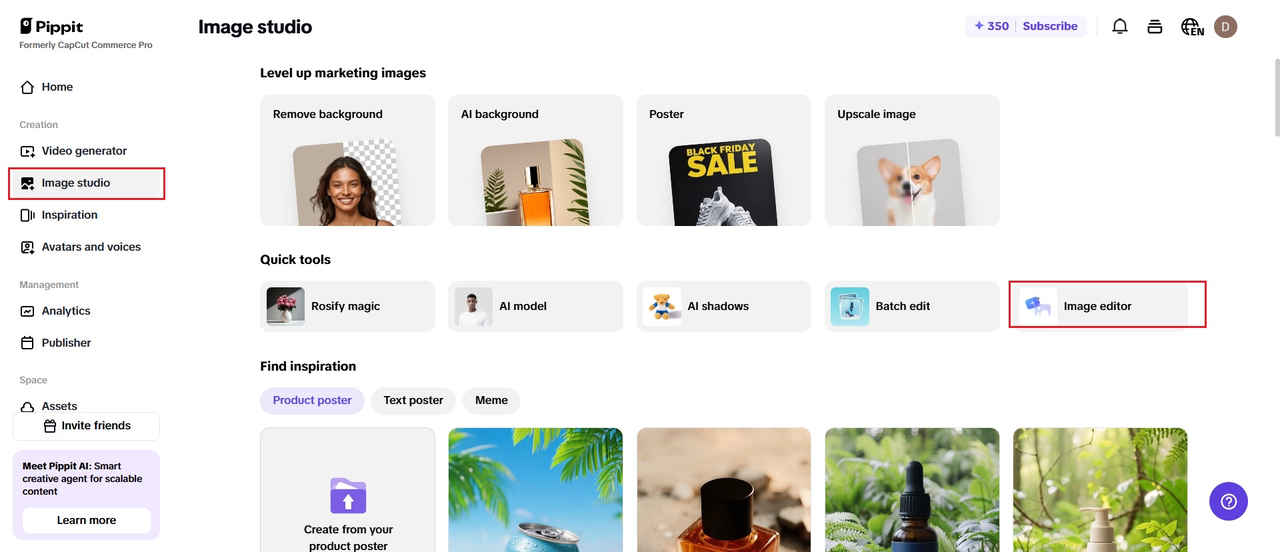
Step 1: Upload the image
Experiment for free by accessing Pippit and going to “Image editor” on the “Image studio” page. Insert your photo into the image editor—be it a logo, portrait, or a design.
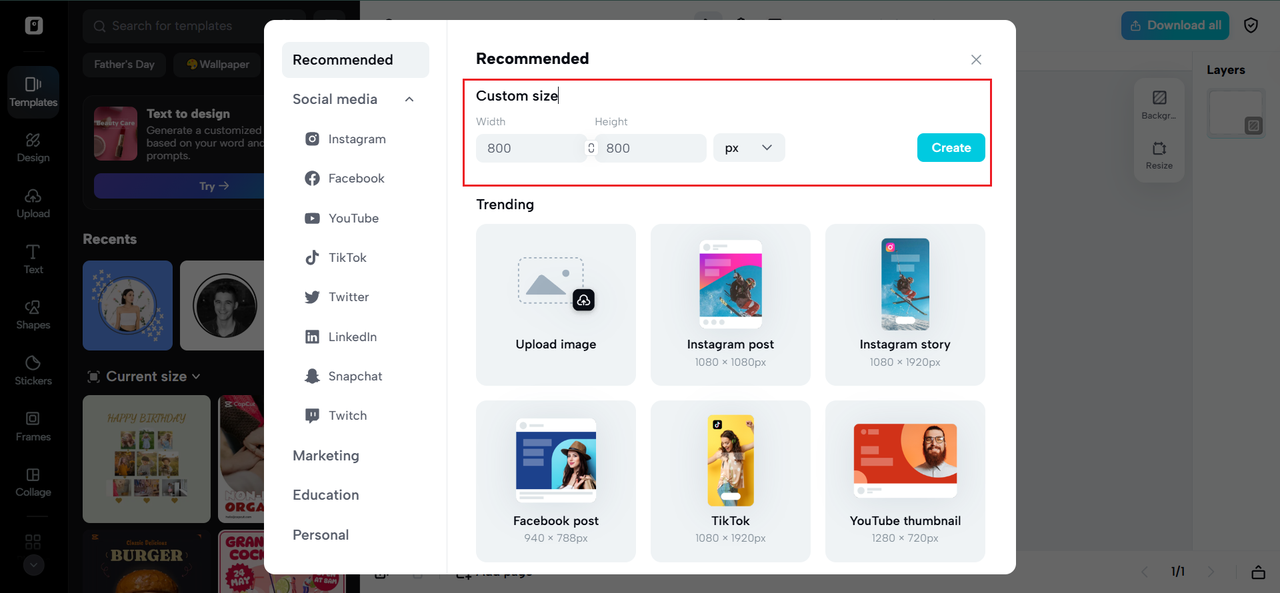
Step 2: Choose the aspect ratio
Select the size you desire for your official YouTube profile picture, which is 800px by 800px (1:1). Pippit’s presets are designed specifically for the ideal YouTube profile picture circle size, so your photo fits perfectly within the frame. These tools give a professional look, device-independent.
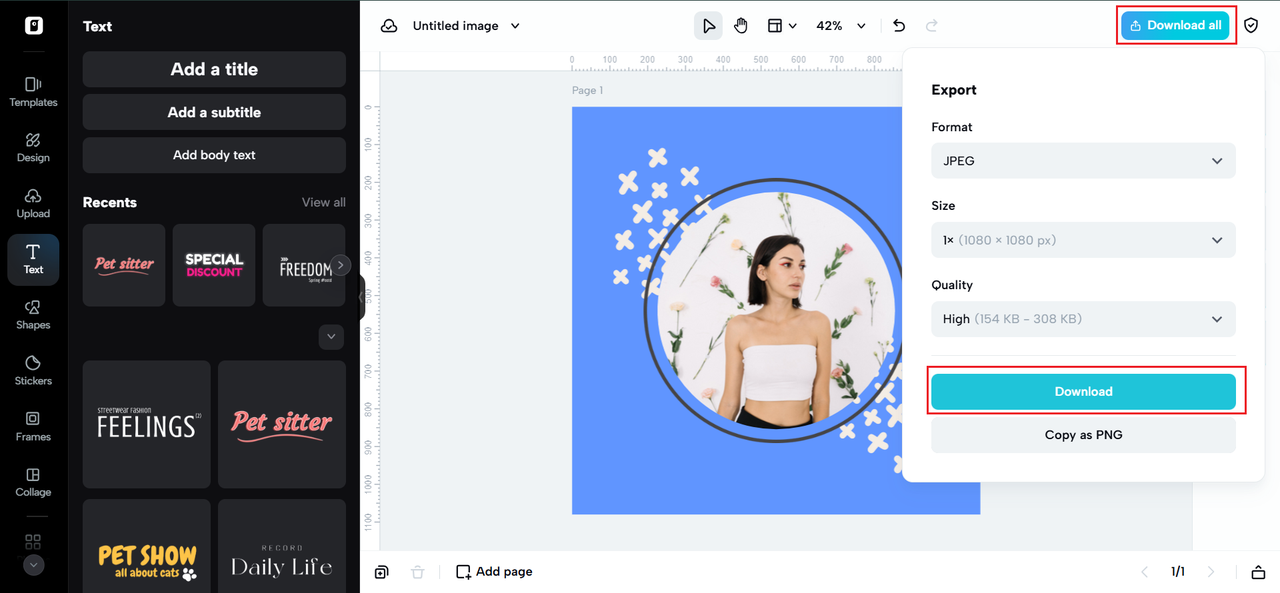
Step 3: Export and share
Make final tweaks if needed, then click “Download All” and “Download” to save the photo in high resolution. Publish your YouTube profile picture full size directly to your channel for a professional, finished look.
How the right size makes the biggest impression
Disregard size rules, and your work of art may turn out blurry, chopped, or inconveniently zoomed. The accepted YouTube profile picture dimension of 800×800 pixels guarantees your avatar looks sharp on every device—mobile, desktop, and TV.
But there’s a catch: YouTube displays profile images in circles, not squares. That means anything outside the 70–75% center gets clipped. That’s why apps like Pippit have a circular preview overlay—to let you see precisely what users will see before uploading.
When your avatar is properly sized, it:
- Appears crisp and professional on all YouTube surfaces
- Maintains brand consistency in thumbnails, banners, and shorts
- Gains viewer trust by making your channel look refined and deliberate
Growing up tricks: turning your avatar from hip to legendary
If you’d like to take your AI avatar to the next level, here are a few suggestions:
Add unique background shapes or texture
Make your channel’s theme—techy grids for developers, sparkles for beauty creators, vintage gradients for lifestyle vloggers.
Overlay initials or micro-icons
Including a watermark or initials of your channel is useful for recognition if your face is not sufficient.
Animate your avatar for intros
Software such as Pippit allows you to export your avatar in terms suitable for YouTube intros or watermark loops—branding with minimal effort.
Your YouTube profile image isn’t mere ornament—it’s your online business card. And with AI avatar technology, creators can do more than the plain selfie. You can have a look that’s uniquely yours, beautifully calibrated to your niche, and instantly recognizable.
So if you’re a skincare guru, a crypto YouTuber, or an indie artist, your mugshot should be more than just seen. It should be legendary.
Because on YouTube, your profile picture is not only a part of the brand—it is the brand.